
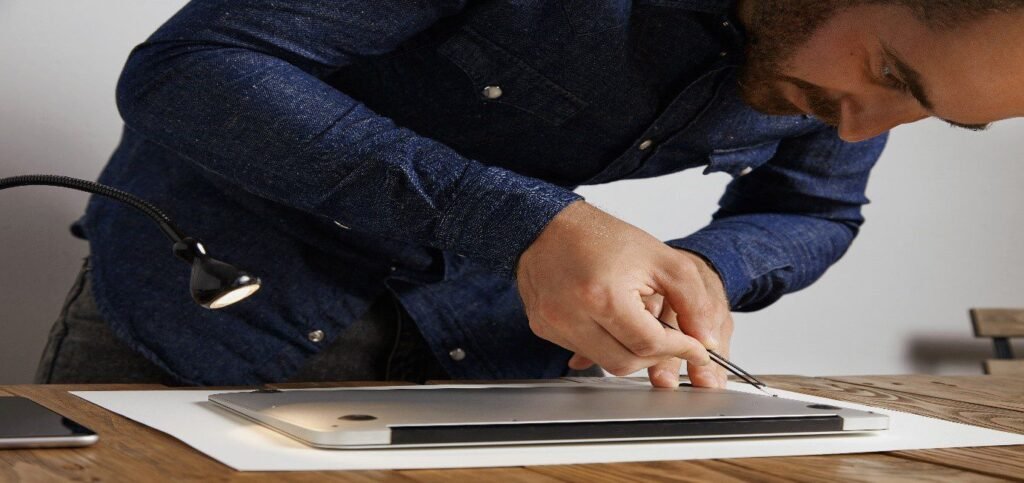
Most laptops don’t fail out of nowhere. They give warning signs first, a slower boot time, a fan that runs louder than usual, and a screen that flickers for a second before settling back down. Catching these signals early is the difference between a quick fix and a repair bill that could’ve been avoided entirely. Getting proper Laptop Repair NJ support at the right moment protects your files, your budget, and honestly, your patience.
This guide walks through the ten most common warning signs, why ignoring them tends to backfire, and how to tell whether your laptop needs a repair or a full replacement.
The 10 Signs Worth Paying Attention To
Here’s what to watch for before a small issue turns into a full-blown repair job.
- Constant freezing or sluggish performance. If programmes take forever to open, or the whole system locks up mid-task, that’s rarely just a full hard drive. It could be a failing storage drive, memory issues, background malware, or a system that’s simply been neglected for too long.
- Repeated crashes or blue screens. One crash means nothing. But a pattern, restarting loops, the same error showing up again and again usually points to something deeper going on with the hardware or the operating system itself.
- Laptop overheating during regular use is one of the most common complaints technicians see. Browsing the web, sitting on a video call, typing up a document, none of that should push a laptop to the point where it’s uncomfortably hot. Dust buildup, a fan that’s stopped spinning properly, or thermal paste that’s dried out over the years are usually behind it, and left unchecked, heat damages components that are far more expensive to replace than a fan.
- Battery draining fast or charging only at certain angles. This one’s frustrating because it often creeps up slowly. First the battery lasts a little less each day, then the charger has to sit at a weird angle to actually charge. At that point, you’re likely looking at battery replacement, a worn-out charging port, or a power system that needs proper testing before it fails completely.
- Clicking, grinding, or fan noise that wasn’t there before. Clicking sounds especially shouldn’t get brushed off. That particular noise is one of the classic signs of a failing hard drive, and once a drive starts clicking, data loss becomes a real possibility.
- Screen flickering, colored lines, or cracked glass. None of these get better on their own. A flicker today can mean a fully dead display in a few weeks, and cracked glass tends to spread with pressure. Screen replacement sooner rather than later usually saves money in the long run.
- Dead keys, an unresponsive touchpad, or loose ports. Wear and tear explains some of this, but liquid exposure or a failing internal connector explain a lot more. Either way, it’s worth having someone actually open the machine up and look.
- Won’t turn on, or shuts off randomly. This is one of the scarier signs, and for good reason, it could be something as simple as a bad charger, or something as serious as motherboard repair. There’s no way to know without a proper diagnostic.
- Wi-Fi, Bluetooth, camera, or speakers failing. Sometimes it’s a driver issue that a software update fixes in five minutes. Other times it’s an actual hardware failure. Running real laptop diagnostics is the only way to tell the difference without guessing.
- Drops, spills, or cracked casing affecting how the laptop runs. Liquid damage in particular works quietly. Corrosion can spread inside the machine for weeks before symptoms show up on the outside, which is exactly why a quick check after any spill matters more than people think.
Which Laptop Problems Need Immediate Attention?
Not every sign on this list needs a same-day appointment, but a few genuinely shouldn’t wait. Overheating that’s got noticeably worse, a laptop that won’t power on at all, or any sign of liquid damage all fall into the “get it looked at now” category. Waiting on these specifically tends to turn a $100 fix into a $400 one.
Why DIY Repairs Can Make Things Worse
It’s tempting to pop open the back panel and take a look yourself, and sometimes that’s fine for something like clearing dust out of a vent. But charging port issues, screen problems, and anything involving the motherboard get risky fast without the right tools. A charging port repair gone wrong can damage the board underneath it. A screen swap without the right technique can nick a ribbon cable that wasn’t even part of the original problem.
There’s also the data question. Opening up a laptop without knowing what you’re doing can wipe a drive, corrupt files, or damage a component that was actually fine to begin with. A proper repair shop tests the machine first, uses parts that are actually rated for your specific model, and protects your data throughout the process rather than treating it as an afterthought.
Repair or Replace: How to Decide
This is genuinely one of the harder calls to make, and it depends on more than just the price tag.
Repair tends to make sense when:
- The laptop still handles your day-to-day work without struggling.
- The issue is limited to one component, battery, screen, keyboard, or a single port.
- Replacement parts are still available for the model.
- The repair cost sits well below what a comparable new laptop would cost.
Replacement starts to make more sense when:
- The laptop is already several years old and multiple parts are failing at once.
- The repair quote creeps close to, or past, the cost of a new machine.
- Performance issues persist even after a repair.
- The laptop no longer keeps up with what your work actually requires.
A good technician should walk you through this decision honestly rather than pushing a repair just to make the sale.
How Professional Laptop Repair Services Actually Help
The value of going professional isn’t just fixing the immediate problem, it’s knowing what caused it in the first place. At iMobile Repairs, that starts with real diagnostics rather than guesswork, checking whether an issue is software, hardware, or power-related before recommending anything.
What that typically includes:
- Accurate fault detection before any parts get ordered.
- Genuine, tested replacement parts rather than the cheapest available option.
- Full testing of both hardware and software after the repair.
- Data protection throughout the entire process.
- Warranty-backed work, so you’re covered if something resurfaces.
Local repair also has a practical advantage: faster turnaround, direct communication with the technician actually doing the work, and someone accountable if a question comes up after you’ve picked the laptop back up.
For related repair needs, our laptop repair services cover the full range of these issues in more detail, while our computer repair services handle broader desktop and system troubleshooting. If board-level damage is suspected, our motherboard repair page walks through what that process typically looks like.
Bringing It All Together
Slower performance, overheating, battery trouble, screen damage, strange noises, or a laptop that won’t power on, these aren’t random annoyances. They’re signals, and catching them early is almost always cheaper and easier than waiting for a full failure.
If your laptop is showing even one or two of these signs, it’s worth getting it looked at before the problem grows into something bigger. Schedule a professional laptop repair with iMobile Repairs and get a straight answer instead of a guessing game.
FAQs
How do I know if my laptop needs professional repair?
Overheating, crashing, or screen damage are strong signs. Any sudden shutdown means it’s time to get it checked.
Should I repair or replace my laptop?
Repair works well if performance still holds up. Multiple parts failing together usually points toward replacement instead.
Can an overheating laptop be repaired?
Yes, most cases clear up once vents get cleaned and the fan gets checked. Fresh thermal paste often solves it too.
How long does a professional laptop repair usually take?
It depends on the issue and part availability. A deeper diagnostic can add a bit more time.